Free and open source · macOS · Apple silicon and Intel
See what your Mac is holding, and what it can let go
Stow measures the places that quietly fill a disk and sorts every folder by what you can safely do with it. Clear caches with confidence, and leave your own files where they are.

Every folder gets a verdict
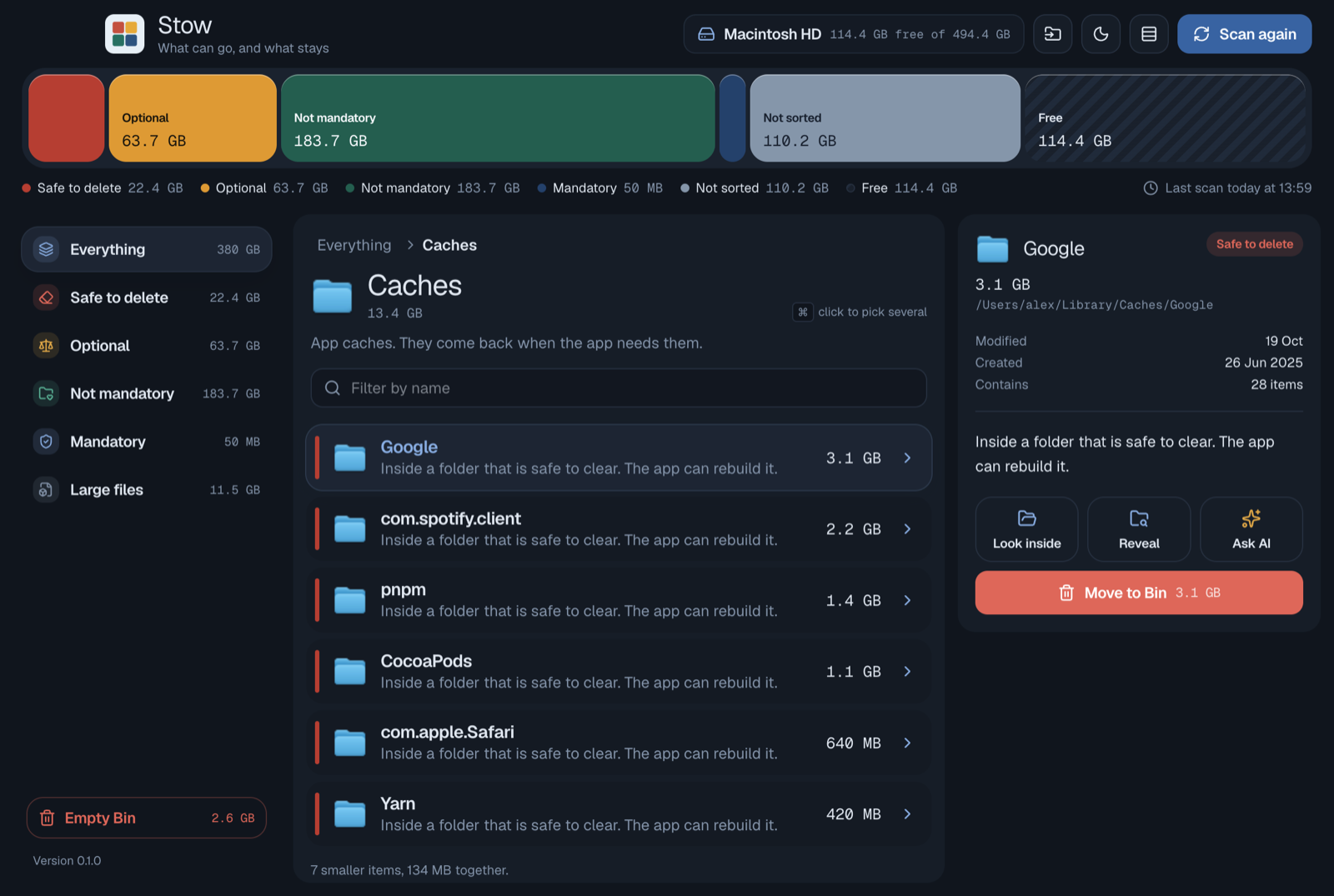
Stow knows where macOS and your tools keep their caches. It puts each place on a shelf, so the question is never “what is this?” but “do I still need it?”
Safe to delete
Caches, logs and build leftovers. Apps rebuild them, so Stow can move them to the Bin.
Optional
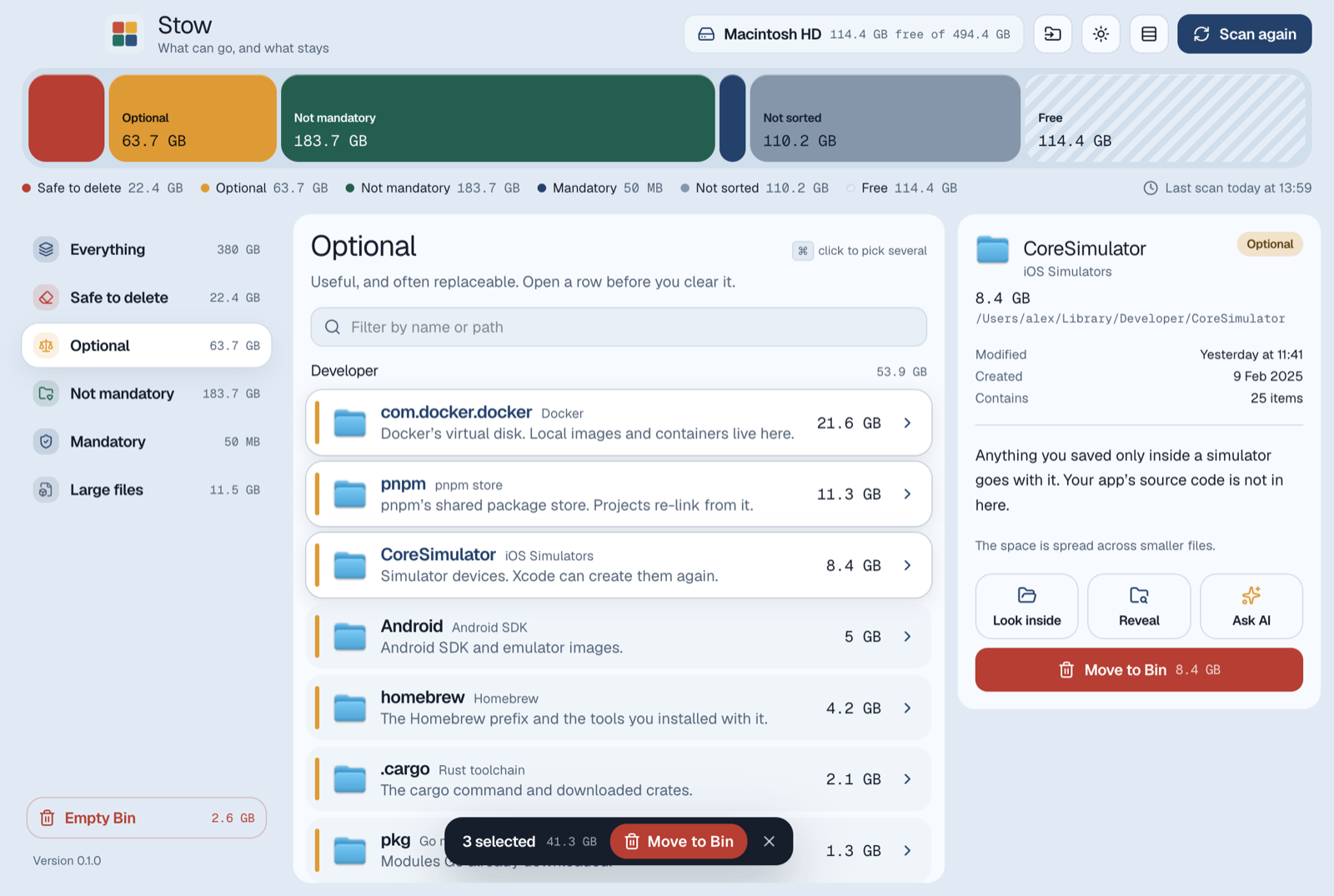
Package stores, SDKs, simulators and installers. Useful, often replaceable. Look first, then clear.
Not mandatory
Your files and apps. The Mac runs without them, so Stow shows the size and leaves them alone.
Mandatory
What your account needs: keychains, preferences, mail. Nothing here can be moved.
Look inside before you let go
Open any folder to see what fills it, largest first. Each row says whether it can go and why, and the details pane shows when it was last touched.
Folders outside the usual places start as “keep”. Stow only offers the Bin for things it recognises, like caches, node_modules and old installers.
Careful by design
The Bin, never delete
Everything Stow removes goes to the Bin, so you can put it back from Finder. Emptying the Bin is the only permanent step, and Stow asks first.
Real names, real sizes
Folders appear exactly as they are on disk, hidden ones and all, with when they were modified, created and last opened.
Look inside anything
Open a folder with its arrow to see what fills it, or press ⇧⌘G to go to any path, just like Finder.
Pick several at once
⌘-click the folders you are done with and move them to the Bin together. ⌘A selects everything that can go.
Ask before you delete
Not sure about a folder? Stow writes the question for you and opens it in ChatGPT, Claude, Cursor or Codex.
Feels at home on a Mac
Light and dark mode, a compact view for long lists, and updates offered straight from GitHub releases.
Nothing about your Mac leaves it
Scanning, sizes and file details stay on your Mac. Stow has no account, no analytics and no server.
Its only network request reads public release information from GitHub, so it can tell you when a new version is out. Downloading it is up to you.
Install
Download the .dmg for your Mac (arm64 for Apple silicon, x64for Intel) and drag Stow to Applications. It's notarized by Apple, so it opens like any other app.
For accurate sizes everywhere, give Stow Full Disk Access in System Settings → Privacy & Security. It works without it, too. After that, Stow offers new versions itself.
Download the latest release